Vizard Agent
NEW
AI Studio
PricingAPI

Vizard vs OpusClip:
the best OpusClip alternative in 2026

Same AI clipping, about half the cost per minute, and your credits never expire. Vizard turns long videos into ready-to-post shorts, then writes captions and schedules them to 6 platforms. The free plan includes the full editor.

or
No credit card · 60 free credits every monthSee Vizard’s pricing vs OpusClip
google logok12 logoubisoft logohopper logohivery logostanford logobritco logooneteam logobookee logoeverflow logoclass logosanlo logomorningstar logo

Quick compare

Choose Vizard if you clip long videos every week and want the lowest cost per minute, credits that don't expire, a free editor and scheduling to 6 platforms. Choose OpusClip if you need extra effects like AI dubbing or eye-contact correction and don't mind paying more per minute.

Quick comparison of Vizard and OpusClip
VizardOpusClip
Best forPodcasters, coaches, marketers, agencies clipping at volumeCreators who want an all-in-one effects suite
Cost per credit (yearly)$0.024$0.048 (Pro, $174/yr, 300 credits/mo)
Free plan60 credits/mo with full editor60 credits/mo, no editing
API on paid plansSelf-serve, full APILimited on Pro; full API on Business (contact sales)
G2
"The best one I found on Internet. The final video that gives to me are great, many people recommend to me Opus, but honestly, Vizard is much better than Opus in my experience. I have a lot of content on youtube and need to create shorts video for FB, TikTok, Instagram and youtube faster and with good imagination like Vizard does."

Pedro M.General Manager

Why creators switch from
OpusClip to Vizard

Half the cost per minute, and credits that never expire

Half the cost per minute, and credits that never expire

On yearly plans, Vizard costs about $0.024 per minute of video. OpusClip Pro costs about $0.048, so the same budget clips twice as much video. On monthly billing the gap is bigger: OpusClip Pro works out to about $0.097 per minute.

Edit for free. OpusClip's free plan can't

Edit for free. OpusClip's free plan can't

Every Vizard plan, including Free, comes with the full video editor: trim, fix captions, change layouts, add your brand. On OpusClip's free plan, editing isn't available, and clips stop being exportable after 3 days.

Clip
Clip
Clip
AI-powered clips

AI that picks the moments worth posting

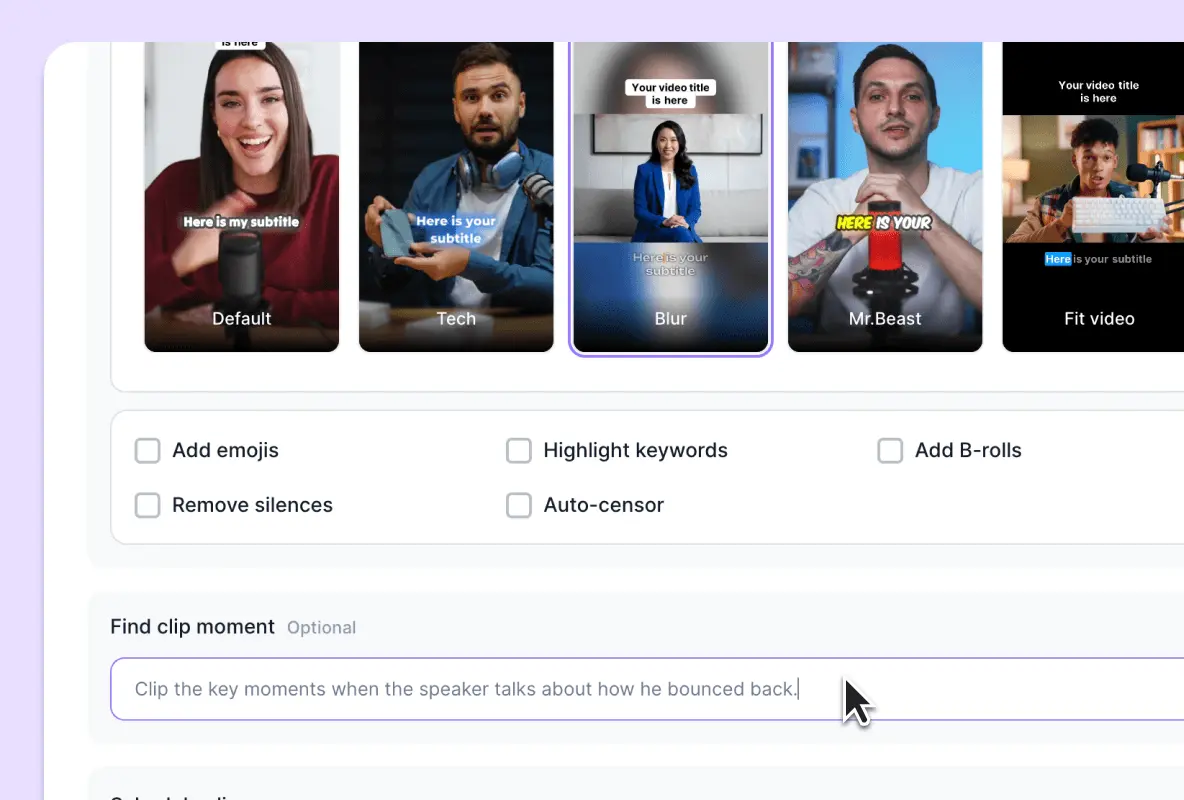
Vizard's AI reads the full context of your video, not just keywords, and finds moments with a clear hook and a complete thought. Every clip gets a virality score, auto-reframing that keeps the speaker in frame, and animated captions. Most clips are ready to post without a manual edit.

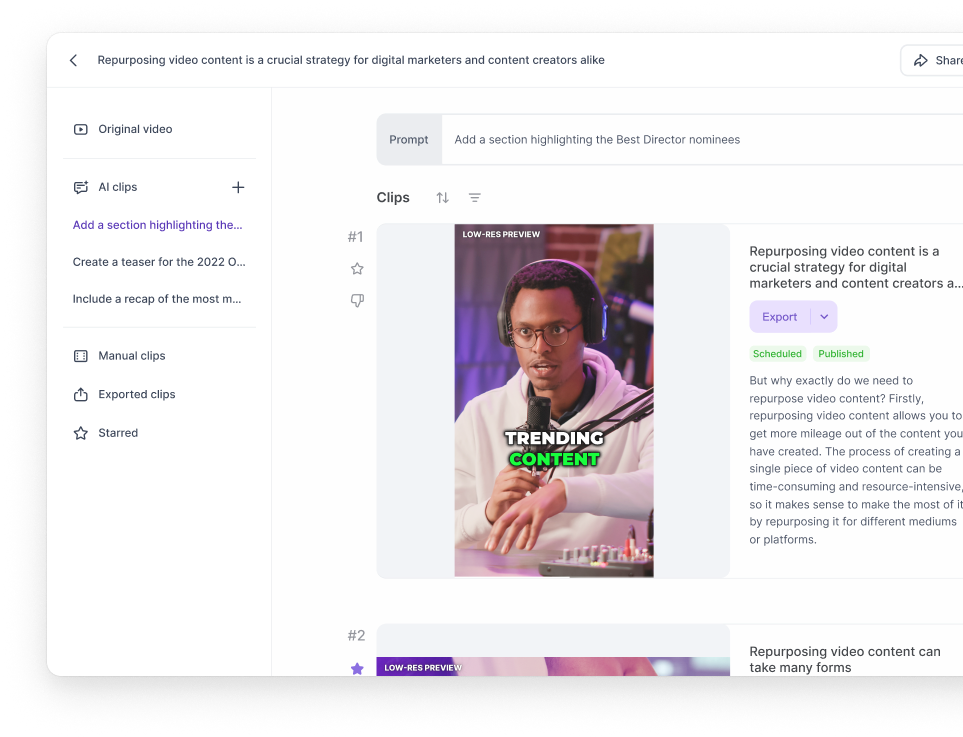
Tell the AI what to clip

Tell the AI what to clip

Type what you want, like “every time we talk about pricing” or “the funniest moments”, and Vizard's Spark 1.0 AI finds them. Not happy? Re-prompt for a new set. Free users get 10 free re-prompts. OpusClip's free plan has none.

A calendar that looks like your feed

Plan a month of posts in Feed, Weekly or Monthly view. Feed view previews each post as it will look on TikTok, Reels or Shorts, so you catch problems before you publish. AI writes the title, description and hashtags for every clip.

Full API on every paid plan, no sales call

Full API on every paid plan, no sales call

Vizard's API is included in every paid plan. Read the docs, grab your key and start clipping in minutes, with uploads up to 10 hours or 30GB per video. On OpusClip, Pro has limited API access; the full API is on Business, which needs a sales conversation.

Built for teams and agencies

Built for teams and agencies

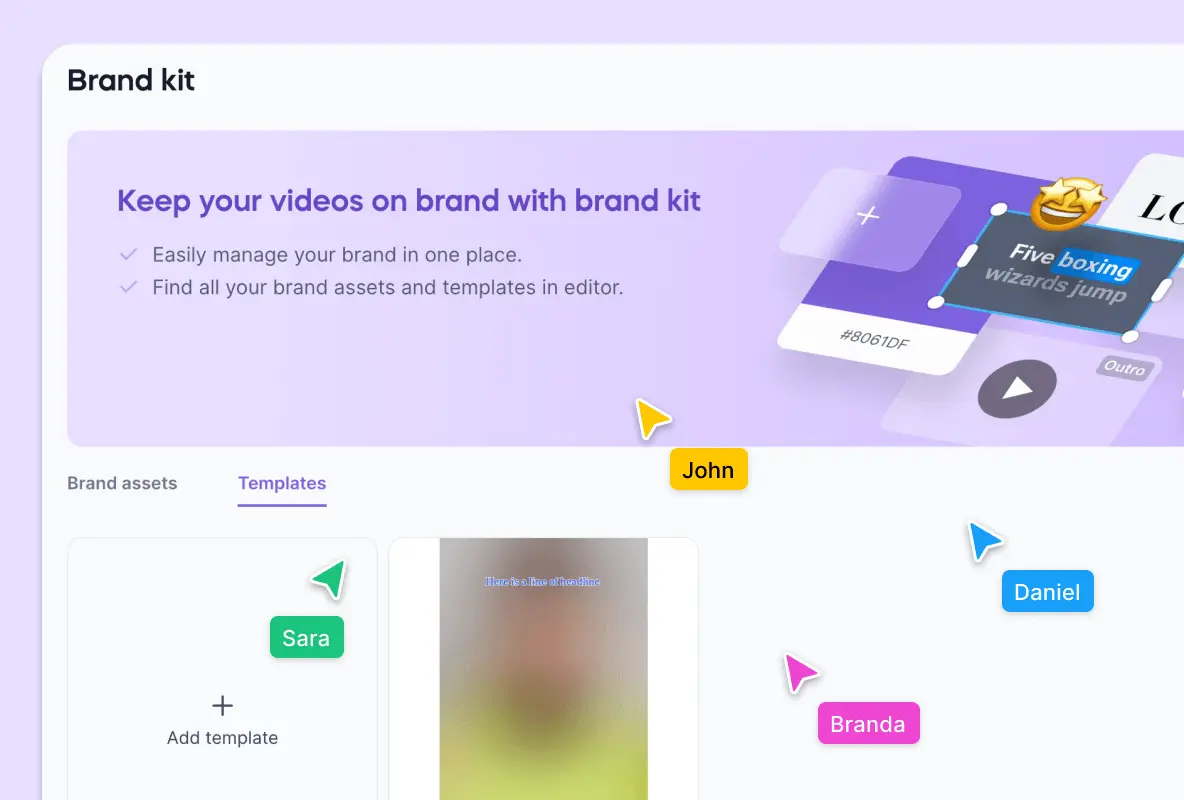
Manage up to 20 social accounts on Business, invite teammates to a shared workspace, share projects with clients for review, and keep every clip on brand with a brand kit and custom fonts. OpusClip Pro connects 6 accounts and up to 4 seats.

See Business plan

Vizard vs OpusClip pricing

Both tools charge 1 credit per minute of video you upload. So the fair comparison is cost per minute, and what happens to the minutes you don't use.

Monthly
Yearly

How many videos do you clip each month?

Vizard

$14.5/mo

Creator:600/mo
OpusClip

$29/mo

Pro:600/mo

Join us now & save more with Vizard!

$174 /yrsaved yearly with Vizard
G2
"I believe Vizard is a great tool especially if you cut your podcast into many reels. It has everything that Opus has but works quicker and has more pleasant UI. The biggest part that bought me is the price! I've got it cheaper then other similar AI's! Great tool and great algorithm! It cut a full podcast episode into tons of reels. Basically spending two hours or even one you can have reels and shorts for a couple of weeks. Great tool!"

Igor M.Music Producer

Vizard vs. OpusClip

Feature-wise comparison of Vizard and OpusClip
Feature-wise ComparisonVizardOpusClip
PRICING & CREDITS
Price for 600 min/mo (yearly)$14.5$29
AI CLIPPING
Prompt-based AI editing10 free re-prompts on FreePaid plans only; none on Free
Virality scoreIncludedIncluded
Auto reframe 9:16 / 1:1 / 16:9IncludedIncluded
AI B-roll, emojis, keyword highlightsIncludedIncluded
Max upload per video10 hours / 30GB30GB
EDITING & CAPTIONS
Video editor on Free planFree, full editorNot included
Language supported30+ languages20+ languages
Subtitle translation100+ languagesVideo dubbing (Pro)
Export qualityUp to 4KHighest available; 4K not on Pro
Transcript downloadTXT, SRTNot included
PUBLISHING
Post scheduler and social content calendaryoutubetiktokinstagramfacebooktwitterlinkedinyoutubetiktokinstagramlinkedin
Calendar viewsFeed, Weekly, MonthlyMonthly
Social accounts6 (Creator), 20 (Business)6 (Pro)
AI titles, descriptions, hashtagsIncludedIncluded
TEAMS, API & SUPPORT
APISelf-serve on all paid plansLimited on Pro; full on Business (sales)
Team workspace & seatsShared workspace on Business2 seats per pack, up to 4
Link sharing for previewIncludedIncluded
Storage100GB (Creator), unlimited (Business)100GB (Pro)
Intercom live chatIncludedPro only; Discord + AI chat on Free

Updated as of November 2026

Vizard or OpusClip:
which one is right for you?

For most creators and teams clipping talking-head content, Vizard gives you the same core AI clipping for about half the cost per minute.

Choose OpusClip if you…

  • Need built-in AI dubbing, eye-contact correction or transition effects
  • Import from many sources (Twitch, Riverside, Loom, Frame.io)
  • Post to Pinterest, Threads or Bluesky

Need more than clips? Meet Vizard Agent

Vizard Agent edits your footage or creates a video from an idea, in any style you describe in plain words. It's Vizard's answer to Agent Opus.

TRY VIZARD FREE
Vizard Agent creates an ad from a product description

How to switch from OpusClip
to Vizard in 5 minutes

  1. 01

    Sign up free

    No card. You get 60 free credits right away.

  2. 02

    Clip the same video

    Paste the YouTube link or upload the file you used in OpusClip, and compare the clips side by side.

  3. 03

    Connect your socials

    Link your accounts and move your scheduled posts to Vizard's calendar.

Ready to switch from OpusClip?

Same AI clipping. Half the cost per minute. Minutes that never expire.

No credit card. 60 free credits every month
Vizard video editor and AI clips

Built for agencies and
content teams

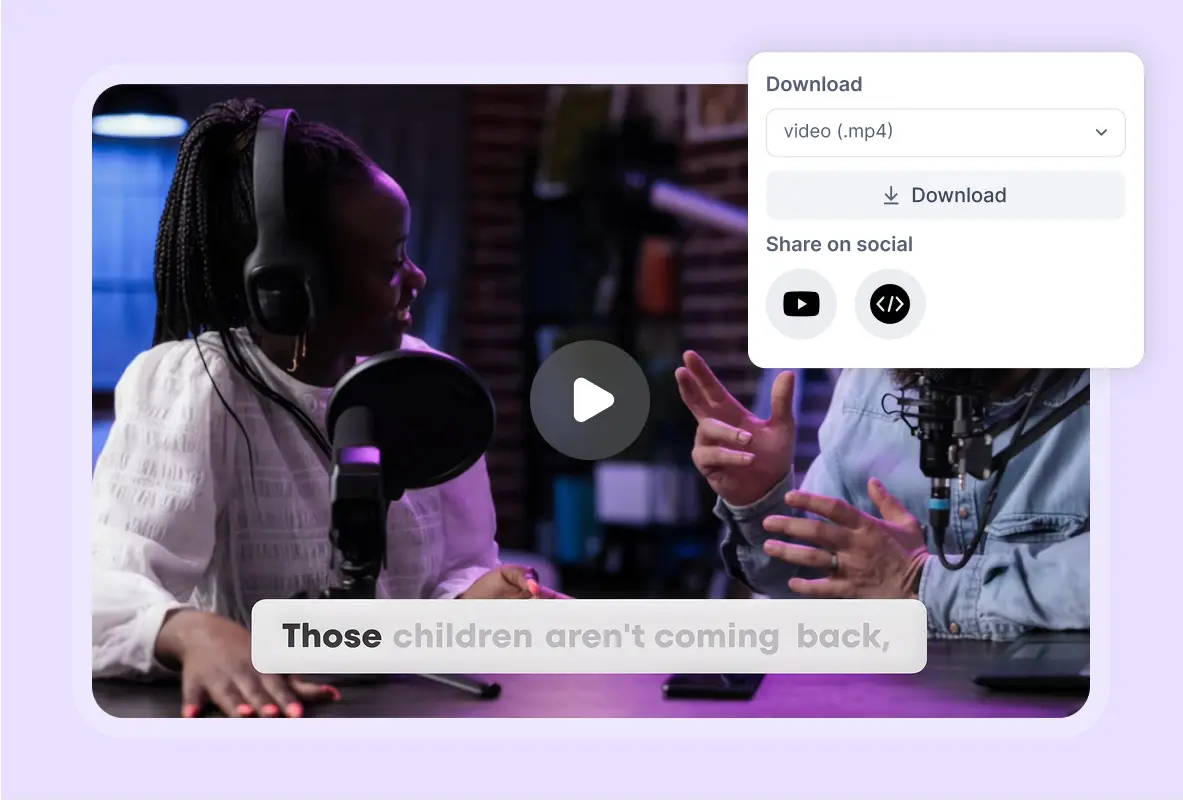
Work together seamlessly in a shared workspace designed for collaborative video editing. Preview, share, and manage projects with your team, ensuring everyone stays aligned and productive.

Collaborate effortlessly with your team in a shared space designed for streamlined video editing and management.

Keep your brand consistent across all content with a centralized kit for logos, colors, fonts, outros, templates, and style guidelines.

What creators say about Vizard

90%

Cheaper than hiring an editor

Carlee MyersStress Management Coach

@Vizard has made editing financially more accessible for me. Previously, I would hire freelancers for the task, costing around $400 to create 10 clips. Now, it offers both time and money savings.

10x

Faster than manual clipping

Jasmin P.Co-founder, Coach, Facilitator

@Vizard makes it so easy to keep creating content! As an entrepreneur, I need to constantly showcase what I’m up to and what I can offer. I love that I can plug in workshop videos, and it quickly creates bite-sized clips ready to post. A huge time saver!

g2
100%

No manual tweaks needed

Jeff S.Co-Host, Entertainment

I was surprised as most AI tools create weak content, but @Vizard turned over an hour of footage into solid, shareable posts. Easy to use, fully featured, and delivers exactly as expected.


capterra
5x

Increase in views

AddictiveLabsCreator@AddictiveLabs

I’ve noticed quite a bit of a difference since starting @Vizard. I've jumped in subscribers. Now I average about 50,000 to 60,000 views a day. That’s a huge growth from zero views. The videos with high vitality score do very well so everything that the editor is telling me has turned out to be true so far.

80%

Time saved in content creation

Rasha E.Success Trainer, International Speaker and High Performance Mentor

@Vizard is incredibly intuitive and has saved me hours of editing - one click generates reels that are easy to refine. Plus, their customer support connects you with real humans, a rare and valuable touch!

g2
Gilberto V.Graphic Designer, Broadcast Media

@Vizard has streamlined my workflow by solving direct editing problems and freeing up my time. The user-friendly interface makes editing text and exporting effortless.

capterra
Sam U.Coach, Professional Training & Coaching

@Vizard makes content creation easier with its speed, versatility, and seamless format switching. The generous time credits and quick uploads to multiple platforms are a huge plus!

capterra
Igor M.Video Editor, Entertainment

Great AI with a user-friendly design and smooth workflow. I love being able to process large amounts of video into reels, and the generous processing time outshines similar tools.

capterra
Sean S.Director of Business Development

With zero experience, I was able to create great content effortlessly. Gen Zers like me can truly benefit from this app and level up their skills!

capterra
Nicolan L.Blogger and Content Creator, Entertainment

@Vizard has completely transformed my video editing. It is powerful, reliable, and incredibly easy to use. I can’t imagine working without it. Highly recommend!


capterra

Need Help?

FAQ

Both charge 1 credit per minute of uploaded video. On yearly billing, Vizard Creator costs $14.5/month for 600 minutes (about $0.024 per minute). OpusClip Pro costs $14.5/month for 300 minutes (about $0.048 per minute), so Vizard is roughly half the price per minute. Both have a free plan with 60 credits a month.